Showing posts with label digital image. Show all posts

Thursday, 19 February 2026

Mosaic of portraits. Digital Image final project


---------------------------------------------------------------------------------
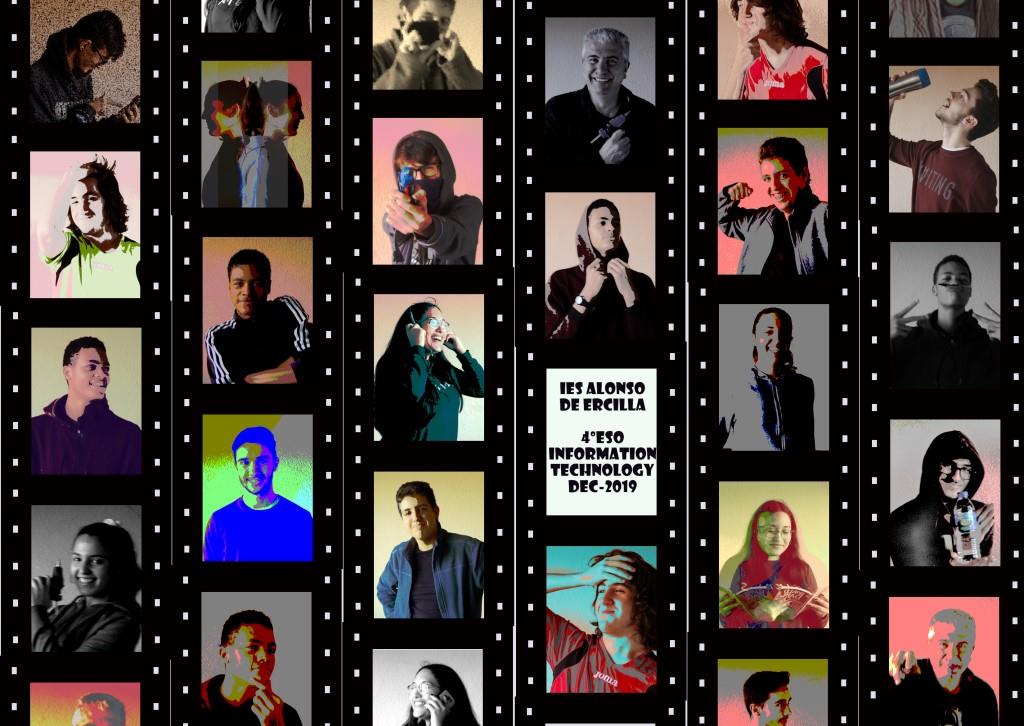
๐Ÿ‘‰Digital Image Final project: Do one nice version of mosaic of portraits to create the class photograph. Use the examples here as ideas:๐Ÿ‘ˆ           click here for details
---------------------------------------------------------------------------------

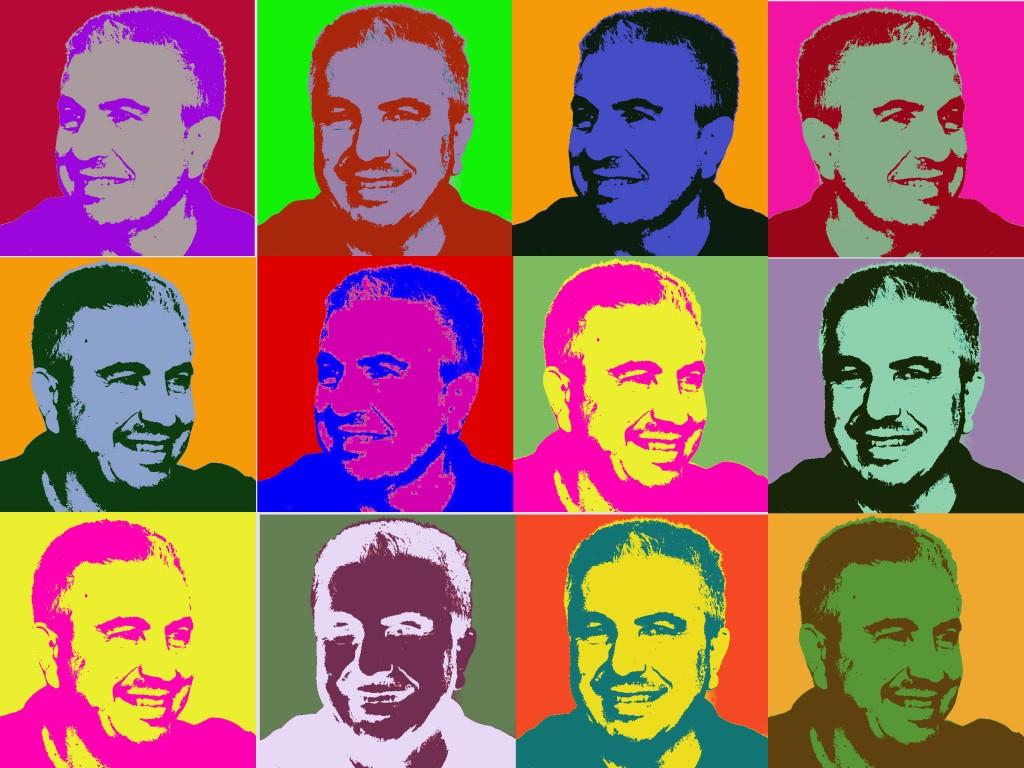


Here you have a video with a tutorial to get the Andy Warhol effect: 


๐Ÿ‘‰ Here you have the video tutorials to create the mosaic with the film frames. 

You can do any version of the mosaic of portraits ... If you want to use the film framed, here you have the png frame ๐Ÿ“ท

๐Ÿ‘€ First you have to prepare the canvas with a resolution of 3300 x 2340 pixels so that you can print it out to a DIN A3 size with 200 dpi as the exercises demands. And then apdapt and calculate the film frame size by dividing the total canvas dimensions into equal rectangles...


Since the photos were taken in a landscape orientation, and there are some of them with two or more people, it is better to mantain this horizontal position in order to be able to keep all people in the take when cropping the image.


๐Ÿ‘€ Now, once you have the canvas ready with all the film frames you have to set all the portrait pics inside the frames... To do this you have to measure the frame resolution to crop the picture with this aspect ratio and scale it later. See here how you may do it...


๐Ÿ‘€ And finally crop the final result, export it as jpg and it is done.


Thursday, 22 January 2026

The Gimp. Getting started with Gimp: Editing landscape pictures

 This post is to give you the main instructions to start with Gimp

You can find some videos that explain the use of some of some tools tools of the program Gimp2

You will have to instal the program on your home computer. 

Learn first: 

  • How to organize the working area
  • How to find all the tools (tool box)
  • How to prepare the main windows (undo hystory, layers, tool options,...)
  • How to save: where to save, file format (= extension name)
  • How to export: image formats, (=extension name: png, jpg, gif,...)
  • How to use the OneDrive tool to save your projects or images

Video 1: Clone tool, Perspective tool, cropping tool. How to save, how to export and how to add a folder to the program when you are using it as a frequent place to save documents.

I apologize for the quality of the video. It is recorded with Teams and has some cuts on the sound and image


Videos 2 and 3 (the complete tutorial has two parts) :  it explains how to fix inclined pictures using the Rotate tool. Normal and corrective mode. Try both. Save as and export as in different formats (extension name)

part1: 


part 2: save and export

Tuesday, 4 November 2025

Digital Image year 25-26


After getting your blog ready, the new content is about the basics of Digital Image...


Download here the unit we are going to work with in class:  theme1. Digital Image I


Here you can find the second unit: Digital Image II
To download the program you have to visit the Oficial Gimp site

project 03.- Be sure you understand all the properties of the digital image and build a chart to represent all properties clear and visual...


An example can be a table with every charactiristic, a definition and an example of value and unit.

First part of the project: Publish  your work in a new blog article with the title: Digital image proporties and some labels to find the article easyly ... and upload the mind map with a pdf format in your virtual space task.

Second part of the project: Meaningful question of the content you have leartn. Publish this question in a nice way on the same article. 
Visit later some of your classmates blogs to read and comment their meaningful questions.

๐Ÿ‘‰Deadline for the project03: Wednesday 19th November๐Ÿ‘ˆ


-----------------------------------------------------------------------------------------------------------------


Meaningful question  20/09/19  (by Carmen M. G. G.)
Regarding the pixels and the resolution...
What is the resolution of human eye? How many pixels can we perceive?
What are the limits of human vision? BBC article